
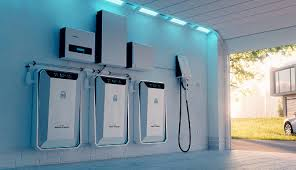
As more homeowners turn to solar power and energy independence, one question keeps coming up: what happens when the sun isn’t shining, or the grid goes down? That’s where energy storage systems come in.
Think of energy storage as your home’s backup plan—and your optimization tool. It captures excess electricity when it’s available and releases it when you need it most. Whether you’re trying to cut utility bills, prepare for outages, or maximize your solar investment, understanding how residential energy storage works is becoming essential.
This guide walks you through everything you need to know—simply, clearly, and without the technical overwhelm.
H2: What Is a Home Energy Storage System?
At its core, a residential energy storage system is a setup that stores electricity for later use. Most commonly, it uses batteries to hold excess energy generated by solar panels or pulled from the grid during low-cost periods.
Instead of sending unused electricity back to the grid, your system stores it. Later, at night, during peak pricing hours, or during a blackout, you can draw from that stored energy.
This makes your home more efficient, more resilient, and less dependent on utility companies.
H2: Why Energy Storage Is Becoming Popular
Power outages are becoming more common. In fact, the average American experienced over 8 hours of power interruptions in 2023 — up from under 2 hours in the early 2000s, according to the U.S Energy Information Administration (EIA). That is a big jump.
At the same time, electricity bills have gone up more than 30% since 2020 in many states. That means keeping the lights on is getting more expensive every year.
The good news? Home batteries are getting cheaper and better — fast.
- Battery pack prices dropped to a record low of $115 per kWh in 2024 — that is an 85% drop since 2010 (BloombergNEF)
- Over 3.2 million U.S. households now use home battery systems — a number that grew nearly 500% since 2018.
- The federal government offers a 30% tax credit on battery storage through 2032 — meaning a $15,000 system could cost you just $10,500
Whether you have solar panels or not, a home battery can make a real difference. Let us start with the basics.
H2: How a Residential Energy Storage System Works
To understand energy storage, imagine your home as a mini power station.
During the day, your solar panels generate electricity. That energy is used to power your home first. Any excess energy is then directed into your battery system.
When your panels stop producing (like at night), your home draws power from the battery instead of the grid. If the battery runs out, the system automatically switches back to grid power.
In the event of a power outage, some systems can isolate your home from the grid and continue supplying electricity—this is called backup capability or islanding.
Everything is managed automatically by an inverter and control system, so you don’t have to manually switch anything.
H2: Key Components of a Home Energy Storage Setup
A complete residential energy storage system includes several important parts working together.
- Battery
- Inverter
- Battery Management System (BMS)
Energy Management System (EMS)
Backup Panel (Optional)
Here is what each one does:
| Component | Main Role | What It Does | Why It Matters |
| Battery | Energy Storage | Stores excess electricity for later use | Ensures you have power available at night, during peak hours, or outages |
| Inverter | Power Conversion | Converts DC (stored energy) into AC (usable household electricity) and vice versa | Makes stored energy usable for your home appliances |
| Battery Management System (BMS) | Safety & Monitoring | Tracks battery health, temperature, charging cycles, and prevents overcharging | Protects the battery, extends lifespan, and ensures safe operation |
| Energy Management System (EMS) | System Control | Controls when to store, use, or draw electricity from the grid | Optimizes energy usage, reduces costs, and improves overall efficiency |
H2: Types of Batteries Used in Homes
Not all batteries are created equal. Understanding the main types helps you choose the right one for your needs.
H3: Lithium-Ion Batteries — The Best Choice for Most Homes
Lithium-ion batteries are the most popular type.They have surpassed other options over the past decade, driven by a remarkable 90% drop in costs since 2010.
There are two types of lithium-ion batteries used in homes:
Option 1: Lithium Iron Phosphate (LFP) — Recommended for Most Homeowners
This is the safest and most reliable type. Here is why it stands out:
- Very safe — no risk of overheating or catching fire under normal use
- Long life — lasts 3,000 to 6,000 charge cycles, which means 10 to 15 years of daily use
- Efficient — for every 100 units of electricity you put in, you get 92 to 98 units back
- Works in wide temperatures — from -4°F to 140°F
Popular LFP batteries include:
- Tesla Powerwall 3 — $15,400 before tax credit; about $10,800 after the 30% federal credit
- Enphase IQ Battery 5P — around $15,000 installed
- BYD Battery Box Premium HVS
Option 2: Nickel Manganese Cobalt (NMC) — Being Phased Out
NMC batteries store more energy in less space, but they have some drawbacks:
- Shorter lifespan — only 1,500 to 3,000 cycles
- Higher risk of overheating
- Being replaced by LFP for home use
💡 Tip: If someone offers you a discounted or used battery system, ask what chemistry it uses. Avoid NMC batteries for new home installations.
H3: Lead-Acid Batteries
Lead-acid batteries are the oldest type. They are much cheaper upfront, but they come with big trade-offs:
- Can only use 50% of stored energy before they start wearing out (LFP can use 80–95%)
- Only last 300 to 900 cycles — far fewer than lithium batteries
- A 10 kWh lead-acid battery bank can weigh over 500 pounds
- Performance drops significantly in cold weather (below 32°F)
When does lead-acid still make sense?
- Very small, off-grid cabins with low energy needs
- Temporary or emergency setups on a tight budget
- Short-term use where replacement cost is acceptable
⚠️ Watch out: Lead-acid batteries seem cheaper, but when you count how often you replace them, the total cost is usually higher than lithium. Always compare the full lifetime cost, not just the price tag.
H3: Flow Batteries — The Future Option (Not Ready Yet for Most Homes)
Flow batteries store energy in special liquids held in tanks. They last an incredibly long time — 10,000 to 20,000+ charge cycles — but they are not yet practical for most homes.
- Less efficient than lithium — return only 65–80% of stored energy
- Still expensive for home use
- Expected to become more practical and affordable by 2027–2028
H2: How to Size Your Home Battery System — Simple Steps
Getting the right size battery is one of the most important decisions you will make. Too small and you run out of power. Too big and you waste money.
Step 1 — Find Out How Much Energy Your Home Uses
Look at your monthly electricity bill. Find the number that says kWh (kilowatt-hours). Divide it by 30 to get your daily average.
Here are some typical numbers:
- Small or efficient home: 10–15 kWh per day
- Average 2,000 sq ft home: 25–35 kWh per day
- Large home with EV, pool, or electric heat: 50–80+ kWh per day
An average American home uses about 30 kWh per day.
Step 2 — Decide What You Want to Keep Running During an Outage
You do not have to power everything in your home. Most people choose one of two goals:
Goal 1: Essential Loads Only (Most Affordable)
Keep only the most important things running:
- Refrigerator and freezer
- Lights (LED bulbs use very little power)
- Phone chargers, Wi-Fi router, laptop
- Medical devices (CPAP, oxygen machine, etc.)
Battery size needed: 10–15 kWh
A 13.5 kWh Tesla Powerwall 3 at 90% efficiency gives you about 12 kWh of usable power — enough to run essential loads for 12 to 24 hours.
Goal 2: Whole-Home Backup (More Comfortable, Higher Cost)
Keep everything running — including air conditioning, water heater, and washer/dryer.
Battery size needed: 20–30 kWh for 12–24 hours; 40+ kWh for multiple days
This usually means installing 2 or more battery units. For example, two Tesla Powerwall 3 units together provide 27 kWh — enough to run a whole home for 12 to 18 hours in mild weather.
Step 3 — Understand Two Important Numbers: DoD and Round-Trip Efficiency
These two terms sound complicated but they are easy to understand.
Depth of Discharge (DoD) — How much of the battery you can actually use
- LFP batteries: you can use 80–95% of total capacity
- Lead-acid batteries: only 50% — so a 20 kWh lead-acid battery gives you only 10 kWh of real power
Round-Trip Efficiency (RTE) — How much energy comes back out after you put it in
- LFP batteries: 92–98% — very little energy is lost
- Lead-acid batteries: 70–85% — more energy is wasted
💡 Simple rule: Always look at the usable capacity — not just the number on the label.
Step 4 — Match Your Inverter to Your Power Needs
The inverter controls how much power your battery can send to your home at once. Think of it like a water faucet — bigger faucet, more flow.
Here are some things that use a lot of power at startup:
- Central air conditioner: 3,000–5,000 watts
- Electric oven: 3,500–5,000 watts
- Well pump: 1,500–3,000 watts
Make sure your inverter can handle your biggest loads. The Tesla Powerwall 3 handles up to 11.5 kW continuously — one of the highest-rated home systems available.
H2: Benefits of Installing an Energy Storage System

Energy storage isn’t just about backup power—it’s a strategic upgrade for your home.
- Lower Electricity Bills
You can store energy when rates are low and use it when rates are high, reducing your monthly costs. - Energy Independence
You rely less on the grid, giving you more control over your energy usage. - Backup Power During Outages
Keep essential appliances running when the grid goes down. - Maximized Solar Usage
Instead of wasting excess solar energy, you store and use it later. - Environmental Impact
Using stored renewable energy reduces your carbon footprint.
H2: AC-Coupled vs. DC-Coupled — Two Ways to Connect Your Battery
This sounds technical, but it is really just about how your battery connects to your solar panels. Here is the simple version:
DC-Coupled — Best for New Installations
- Solar panels connect directly to the battery through one smart inverter
- More efficient — returns 90–97.5% of stored energy
- Costs $500–$1,000 less than AC-coupled for new installs
- Best for: People installing solar and battery at the same time
AC-Coupled — Best for Existing Solar Owners
- Battery connects to your home’s electrical panel separately from solar
- Works with almost any existing solar system — no need to change your current inverter
- Slightly less efficient — returns 85–90% of stored energy
- Best for: Homeowners who already have solar and are adding a battery later
| DC-Coupled | AC-Coupled | |
| Best for | New solar + storage | Adding to existing solar |
| Efficiency | 90–97.5% | 85–90% |
| Cost | Lower for new installs | May cost more (two inverters) |
| Flexibility | Less flexible | More flexible |
The Hybrid Inverter — One Device That Does It All
A hybrid inverter manages your solar panels, battery, and home connection all in one box. It is the simplest and most popular option for new installations in 2025. Popular brands include SolarEdge, Fronius, SMA, and GoodWe.
H2: How Long Can a Battery Power Your Home?
This depends on your energy usage and battery size.
A typical home battery might store 10–15 kWh of energy. If your household uses about 30 kWh per day, that battery could power essential loads for several hours or even a full day with careful usage.
Many homeowners choose to back up only critical circuits—like lights, refrigerators, and internet—rather than the entire home. This extends the battery’s usefulness during outages.
The Real Cost of Home Battery Storage in 2026
Let us talk numbers — in plain language. And there is one very important update you need to know before anything else.
⚠️ Important 2026 Update — Federal Tax Credit Has Expired: The 30% federal Residential Clean Energy Credit (Section 25D) for homeowner-purchased battery systems expired on December 31, 2025. It is no longer available for new residential battery installations in 2026. This is a significant change from previous years.
The good news is that battery prices themselves have continued to fall — and strong state programs are still available to help offset costs.
H3: What You Actually Pay in 2026
A standard 10–13.5 kWh home battery system costs $10,000 to $16,000 fully installed in 2026. Here is where your money goes:
- Battery unit(s): 50–60% of total cost
- Inverter (if not built-in): adds $1,500–$2,500
- Installation labor: $1,500–$2,000 for a licensed electrician
- Permits, panel upgrades, fees: $300–$1,000 for permits; $500–$2,000 for electrical updates in older homes
The average installed cost per usable kWh in 2026 sits at $800 to $1,200 depending on brand, location, and system configuration — with most systems clustering in the $800–$1,200/kWh range.
Popular Battery Prices in 2026
| Battery System | Fully Installed Cost (2026) | Cost Per kWh |
| Tesla Powerwall 3 (13.5 kWh) | ~$15,228 | ~$700–$780/kWh |
| Enphase IQ Battery 5P (per unit) | ~$15,000+ installed | ~$1,510/kWh |
| Standard 10 kWh LFP system | $8,000–$11,000 | ~$800–$1,100/kWh |
| Whole-home backup (2–3 batteries) | $22,000–$40,000 | varies |
H3: What About Incentives in 2026?
The federal ITC is gone for homeowner-purchased systems — but state programs are still active and worth stacking.
Federal — What Changed
- The 30% federal residential battery tax credit expired December 31, 2025 for homeowner-owned systems
- Exception: Battery systems installed under a lease or Power Purchase Agreement (PPA) may still benefit indirectly — the solar company that owns the system can claim commercial tax credits, which they often pass on as lower monthly rates.
- Always ask your installer whether a lease/PPA arrangement makes more financial sense than purchase in 2026
State Programs Still Available
These programs did not expire and can still significantly reduce your cost:
- California SGIP: Rebates of $200–$1,000 per kWh — up to $1,000/kWh for low-income households in high fire-risk zones; California homeowners combining solar + battery can save up to $10,000 through SGIP alone.
- Massachusetts ConnectedSolutions: Pays homeowners $225–$275 per kW annually for battery demand response participation — that is $1,375–$2,750 per year for 1–2 batteries.
- Vermont Green Mountain Power: Offers battery leasing programs that reduce upfront cost significantly
- New York: NY-Sun incentives plus utility rebates still active
- Maryland: State rebate programs for battery storage still in effect
Pro tip: In Hawaii, electricity rates are among the highest in the country — $0.37 to $0.45 per kWh. Even without the federal tax credit, batteries pay for themselves faster in Hawaii than almost anywhere else in the U.S. A trusted solar company in Big Island can walk you through exactly which 2026 state and utility incentives apply to your home — and show you a real payback timeline with today’s numbers.
H3: How Long Until It Pays for Itself in 2026?
Without the 30% federal credit, payback periods are slightly longer than they were in 2025 — but state incentives, rising electricity rates, and falling battery prices help close the gap.
Fastest payback markets:
- Hawaii — highest electricity rates in the U.S. ($0.37–$0.45/kWh); strong payback even without federal credit
- California — high rates + SGIP rebate + Time-of-Use (TOU) savings = strong ROI
- Massachusetts — ConnectedSolutions demand response payments + high electricity rates
Slower payback markets:
- States with low electricity rates (under $0.12/kWh) like Louisiana, Oklahoma, or Idaho
- Areas without active state rebate programs
Real 2026 example: A 10 kWh LFP system at $10,000 installed saves about $1,200 per year through TOU rate management and backup value — paying for itself in roughly 8 years in a mid-to-high rate market. Over its 15-year life, total savings commonly reach $10,000–$20,000.
H2: Installation and Space Requirements
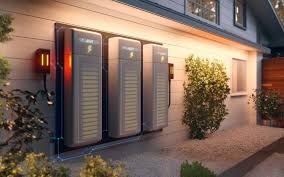
Most home battery systems are compact and can be installed in garages, basements, or utility rooms. Some are wall-mounted, while others are floor-standing units.
Installation should always be handled by certified professionals to ensure safety and compliance with local codes.
You’ll also need to consider ventilation, temperature conditions, and accessibility for maintenance.
H3: What Happens During Installation — Step by Step
Adding a home battery is not as complicated as it sounds. Here is how the process works.
Step 1 — Site Assessment
A qualified installer visits your home and checks:
- Your electrical panel — most batteries need a 200-amp panel; older 100-amp panels need upgrading ($1,500–$3,000 extra)
- Where to put the battery — garage, utility room, or outside wall; LFP batteries are safe indoors
- Your existing solar setup (if any) — to make sure everything is compatible
- Utility requirements — some power companies need to approve battery installations first
Step 2 — Permitting
Your installer handles the paperwork. Expect:
- Permit costs: $100–$500 depending on your city or county
- Some areas require a fire safety inspection for large battery systems
- Timeline: Permitting usually adds 2 to 6 weeks
🚩 Red flag: If a contractor asks you to pull your own permits, walk away. A professional handles all permits.
Step 3 — Physical Installation
The actual installation usually takes 1 to 2 days. Here is what happens:
- Battery unit is mounted on the wall or floor
- Automatic transfer switch is installed — this is what switches your home to battery power during an outage
- Battery is wired to your electrical panel
- Solar connection is made (if applicable)
- Mobile app is set up so you can monitor everything from your phone
Step 4 — Utility Inspection and Approval
After installation, your utility company inspects the system before activating all features. This takes 2 to 8 weeks. During this time, your battery can still work in basic mode.
Step 5 — Choosing a Good Installer
Not all installers are equal. Here is what to look for:
- ✅ NABCEP certification — the gold standard for solar and battery installers
- ✅ State electrical contractor license
- ✅ Manufacturer authorization — Tesla, Enphase, and LG require installers to complete official training
- ✅ Local references — ask for customers you can actually call
- ✅ Written warranty — know who covers what if something goes wrong
H2: Is Energy Storage Right for Your Home?
H3: Strong Signs You Should Get a Battery Now
- You have solar panels and your utility has moved to net billing (lower export rates)
- You live somewhere with frequent storms, wildfires, or grid problems (California, Texas, Florida, Hawaii)
- Your utility charges very different rates at different times of day (Time-of-Use rates)
- You have medical equipment or a home business that cannot lose power
- You are already installing solar — adding a battery at the same time costs less than adding it later
Hawaii homeowners in particular have some of the strongest reasons to go solar with storage. Electricity there costs nearly three times the national average. If you are on the Big Island, working with a local big island solar company means getting advice from people who understand the islands’ unique grid rules and incentive programs — not someone in a call center on the mainland.
H3: Situations Where You Might Want to Wait
- You live in a state with very cheap electricity (under $0.12/kWh) and the grid is reliable
- Your solar system is old or too small — upgrade solar first, then add storage
- You are planning to move in the next 3–5 years and are unsure a battery adds enough home value in your market
- Your electrical panel needs upgrading — get an estimate first so you know the real total cost
⚠️ Important: Waiting has a real cost. The 30% federal tax credit on a $15,000 system is worth $4,500. If proposed legislation eliminates or reduces this credit, every month you wait could cost you thousands.
H2: Future Trends in Residential Energy Storage
Energy storage technology is evolving rapidly.
Batteries are becoming more efficient, more affordable, and more environmentally friendly. Integration with smart home systems is also improving, allowing homeowners to monitor and control energy usage in real time.
In the future, homes may even participate in virtual power plants—sharing stored energy with the grid during peak demand and earning credits in return.
H2: Frequently Asked Questions — Residential Energy Storage
1: Can I install a battery without solar panels?
Yes. Since 2023, standalone battery systems (without solar) qualify for the 30% federal ITC. You charge the battery from the grid during off-peak hours and discharge during peak hours or outages. This makes financial sense in TOU rate markets — less so in flat-rate markets.
2: How many batteries do I need for whole-home backup?
Depends on your daily consumption and desired backup duration. Most whole-home backup scenarios require 2–4 battery units (20–50 kWh). For a standard 2,000 sq ft home in a mild climate, two Tesla Powerwall 3 units (27 kWh combined) provide approximately 12–18 hours of whole-home coverage — more in moderate conditions.
3: Will a battery keep my solar panels running during an outage?
A home battery will keep your solar panels running during a power outage only if your system has “islanding” capability, which safely disconnects your home from the grid while still using solar energy. Not all systems support this, so it’s important to confirm before buying. Advanced systems like Tesla Powerwall 3 and Enphase IQ8 are specifically designed to keep your solar panels producing power even when the grid is down.
4: How long do home batteries last?
LFP batteries: 10–15 years under daily cycling conditions, with most manufacturers warranting 70% capacity retention at 10 years. After warranty expiration, batteries don’t suddenly fail — they simply hold less charge. Replacement costs are expected to drop significantly as technology matures.
5: Does a battery add value to my home?
Emerging evidence suggests yes. A 2021 Lawrence Berkeley National Laboratory study found solar adds an average of ~4% to home resale value; battery storage is increasingly viewed as part of the solar value package. In outage-prone markets like California and Hawaii, battery backup has become a selling point that buyers actively request.
6: What happens to the battery in extreme cold or heat?
- In cold weather: The battery still works, but it charges more slowly to stay safe.
- 🔥 In hot weather: It works normally, but too much heat over time can reduce its lifespan.
Most modern systems, like Tesla Powerwall, have built-in temperature control to protect the battery automatically.
Simple tip: Install the battery in a protected, shaded, or indoor space to keep it working its best.
7: Is battery storage safe to install indoors?
LFP chemistry (used in Tesla Powerwall, Enphase IQ) is specifically designed for indoor/indoor-adjacent installation — minimal off-gassing, no thermal runaway risk under normal conditions. NMC batteries carry higher risk and should be installed with ventilation. Always confirm local fire code requirements for battery installation location.
8: Do I need to upgrade my electrical panel?
Possibly. Most battery systems require a 200-amp service panel. Homes with 100-amp panels need an upgrade — typically costing $1,500–$3,000. Your installer should assess this during the site evaluation. Some utilities offer panel upgrade rebates in conjunction with battery installations.
H2: Final TakeAway: Energy Storage System for Residential Use
In Hawaii, where electricity costs are among the highest in the nation, working with a local and experienced big island solar company is one of the smartest first steps any homeowner can take toward true energy independence
The question is no longer whether a home battery is worth it. For most American homeowners, especially those with solar panels, the combination of rising electricity rates, grid instability, and available incentives has made energy storage one of the most financially sound home improvements available today.
The sun is already powering millions of homes. A battery just makes sure that power is there when you need it most.
